Log an expense in seconds, set a budget you can actually keep, and see exactly where the month went. No sign-up, no bank login. What you log stays on your phone unless you choose to sync.
No account needed
Works offline
7 languages
What it does
Everything a budget needs. Nothing it doesn't.
OwlPocket is a budgeting app and expense tracker for iPhone and Android. Log it, watch what's left, see where it went. No bank connections, no setup wizard, and nothing to read before you start.
Budget
See what's left, not just what's spent.
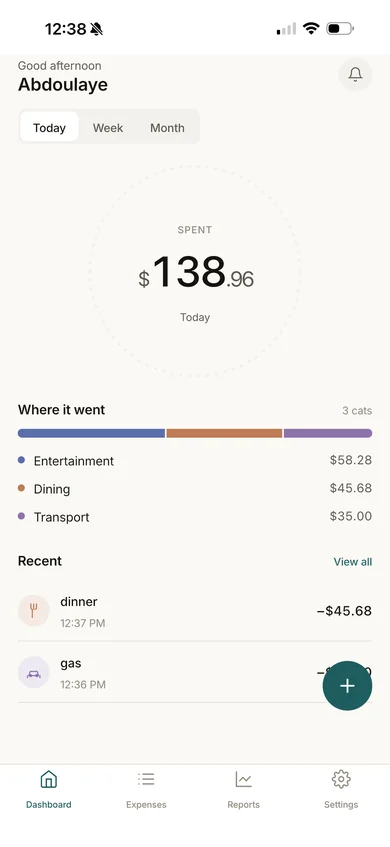
Set a monthly or weekly budget and watch it count down as you spend. Today, this week and this month are one tap apart, with where the money went right underneath.
Spending by category at a glance
A low-balance alert before you overshoot, not after
Expenses
Log an expense in seconds.
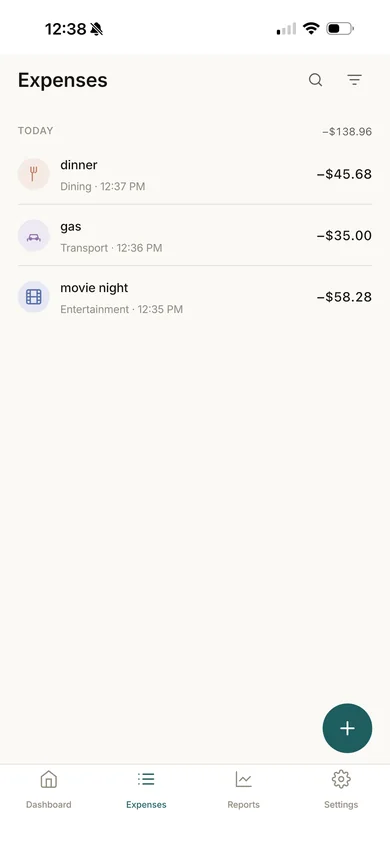
An amount, a category, an optional note, done. The categories make sense out of the box, and every expense lands in one clean list you can search and filter.
Rename categories, add your own, or switch them off
Saved to your phone first, so no signal is fine
Reports
Reports that answer the question.
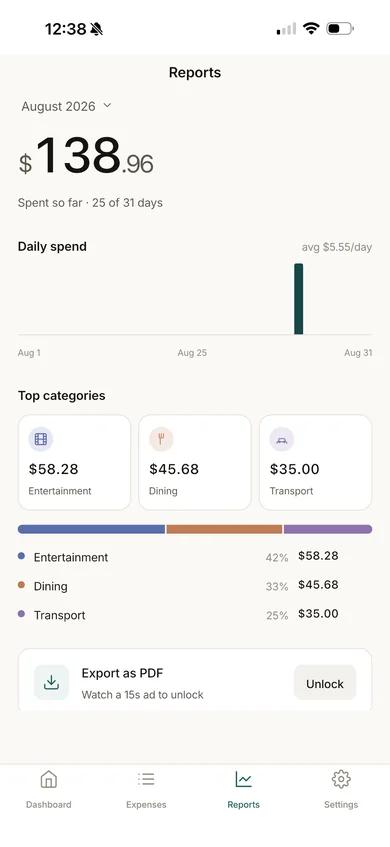
Where did it all go? See your daily spend, your average per day and your top categories, by day, week or month.
Export any report as a PDF
A weekly or monthly summary by email, if you want one
No bank login
OwlPocket never asks for your bank credentials. You log what you spend, so there's nothing to connect.
Works offline
Everything saves on your phone first. On a plane, in a basement, anywhere.
Quiet by default
Silent while you're under budget, and speaks up when you're not. A summary only if you ask for one.
Subscriptions, tracked
Keep recurring charges in one place so the next renewal isn't a surprise.
Your categories
Groceries, dining, rent and more to start with. Shape them to how you actually spend.
PDF reports
Turn any report into a PDF to keep, print, or share with whoever does the taxes.
Privacy
Your money, your device.
Most budgeting apps want an account before they'll show you a single screen. OwlPocket doesn't. Open it and start, and your expenses, categories and budgets stay on your phone.
Use it anonymously
No email, no account, no profile. Nothing to fill in before you can use it.
Sign in only to sync
Create an account if you want a backup and your budget on another phone. Not before.
Every switch is yours
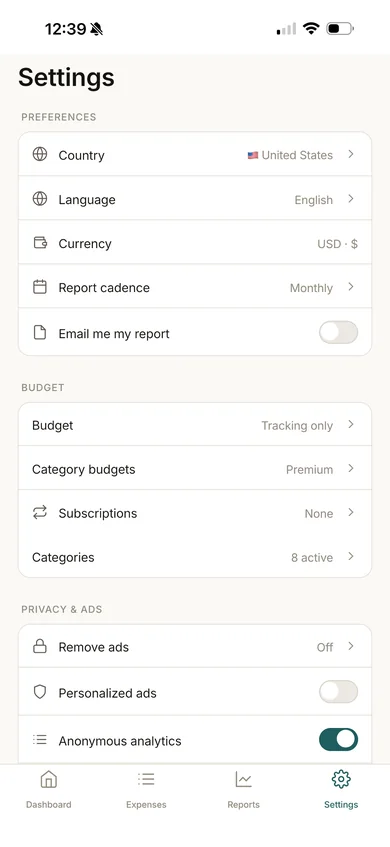
Personalized ads, anonymous analytics and crash reports each have their own toggle.
Leave whenever you like
Export your data any time, or delete your account and everything on our servers from inside the app.
Seven languages, with full right-to-left support for Arabic.
English
Français
Español
Português
中文
日本語
العربية
Pricing
Free to use. Premium if you want more.
Track, budget and report for free. Premium adds a budget for every category and takes the ads away.
Free
$0
Everything you need to keep a budget.
Expense tracking with your own categories
A monthly or weekly budget
Reports by day, week and month
PDF export after a short ad
Low-balance alerts and subscription tracking
Supported by ads.
Premium
Save 16% yearly
$2.99/ month
or $29.99 / year
Everything in Free, plus:
A budget for every category
No ads, anywhere
Unlimited PDF export
Keeps an independent app alive that doesn't sell your data
Upgrade any time in the app from Settings → Remove ads.
Prices shown in US dollars; the App Store and Google Play show your local price. New subscribers may be eligible for a free trial, and the app shows its exact terms before you confirm. Subscriptions renew automatically until you cancel in your App Store or Google Play settings.
FAQ
Questions, answered.
Do I need an account?
No. Open the app and start tracking. Expenses, categories and budgets all work without an account, and what you log stays on your phone. Create an account when you want your budget backed up and synced to another device.
Does OwlPocket connect to my bank?
No. It never asks for your bank login or card details. You add expenses yourself, which takes a few seconds each.
Where is my data stored?
On your phone. If you create an account and turn on sync, it's also stored on our servers so it can reach your other devices. The privacy policy sets out exactly what is and isn't sent.
Does it work offline?
Yes. Everything is saved on your phone first. If you use sync, changes go up the next time you're online.
What does Premium cost?
In the US, $2.99 a month or $29.99 a year. Elsewhere, the App Store or Google Play shows the price in your currency. New subscribers may be eligible for a free trial; the app shows the exact terms before you confirm.
How do I cancel Premium?
Subscriptions are billed by Apple or Google, so you cancel with them: